Spelling practice at home
Prepare a word list for your child and let the phone dictate each word. They can write in a notebook and replay any word they need to hear again.
Dictation app for Android
Add your own words, phrases or texts, listen to them one passage at a time, and write on paper or a computer at your own pace.
Free for Android · Dictation in Greek and English.
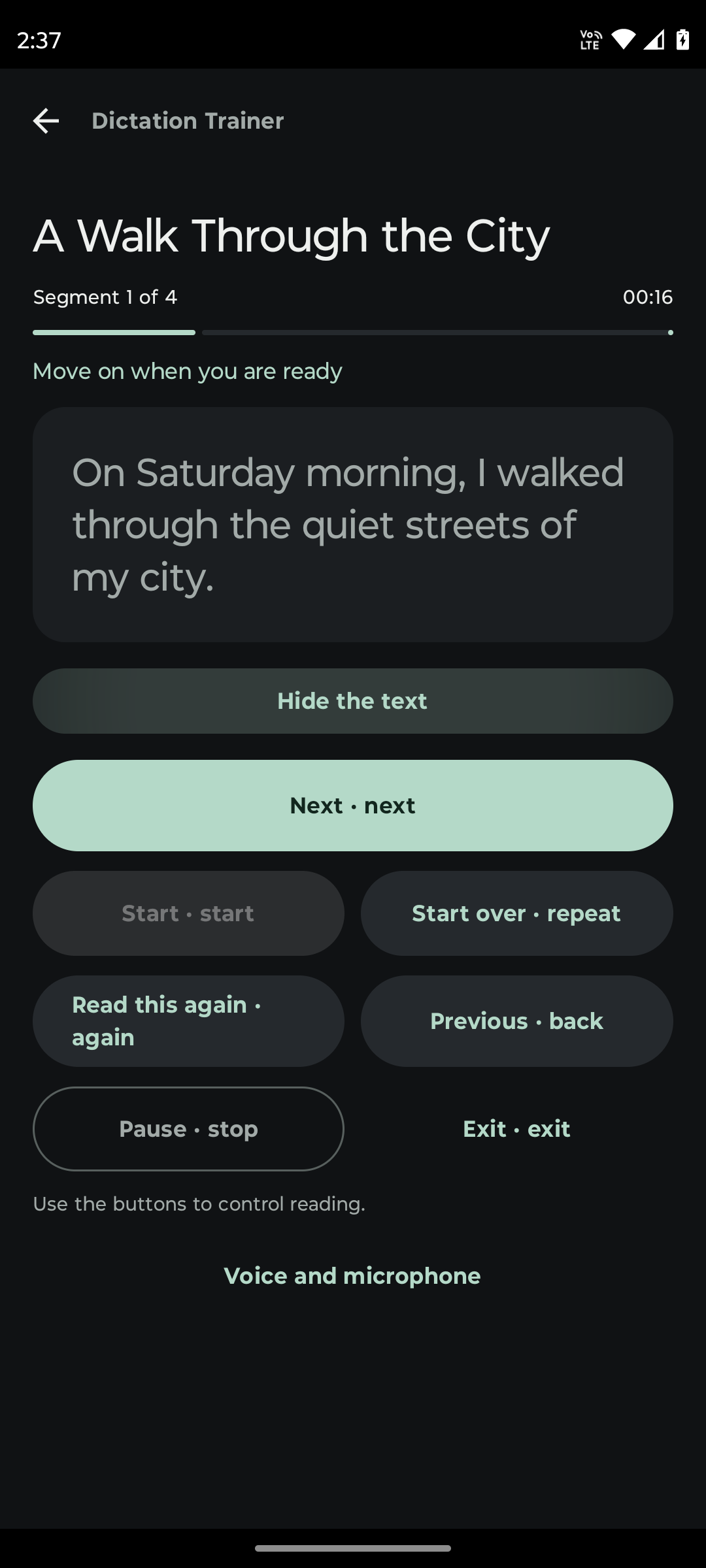
Use your own material to practise what matters to you.
Prepare a word list for your child and let the phone dictate each word. They can write in a notebook and replay any word they need to hear again.
Put your phone next to your computer, listen to words or sentences, and try typing them without looking at the keyboard. Set your own pace.
Listen to words and sentences, write what you hear, then compare your writing with the original text.
Create word lists or short passages for dictation. Save them to use again in class or during individual practice.
Keep a personal spelling list and practise whenever you have time, without needing someone else to read the words aloud.
You choose the text and the app reads it aloud.
Type or paste words, phrases or longer texts. You can also open a TXT file from your device.
Choose how to split the text and how quickly it will be read. Preview the passages before you begin.
Your phone reads one passage. Write wherever you like and continue when you are ready. You can always replay it.
Choose the length of the passages the app dictates and the reading style that suits you.
Listen to a word, sentence or paragraph at a time. Split the text in different ways and preview it before saving.
Replay a passage, pause, go back to the previous one or continue to the next.
Adjust the voice speed and choose Greek or English for each collection.
Save lists and texts. Find them with search and tags, or keep a backup copy.
Shuffle the reading order of a word list so you do not know which word comes next.
Use short voice commands to control a session without touching your phone. Voice commands are currently in English.
See how you add material, set up dictation and practise.
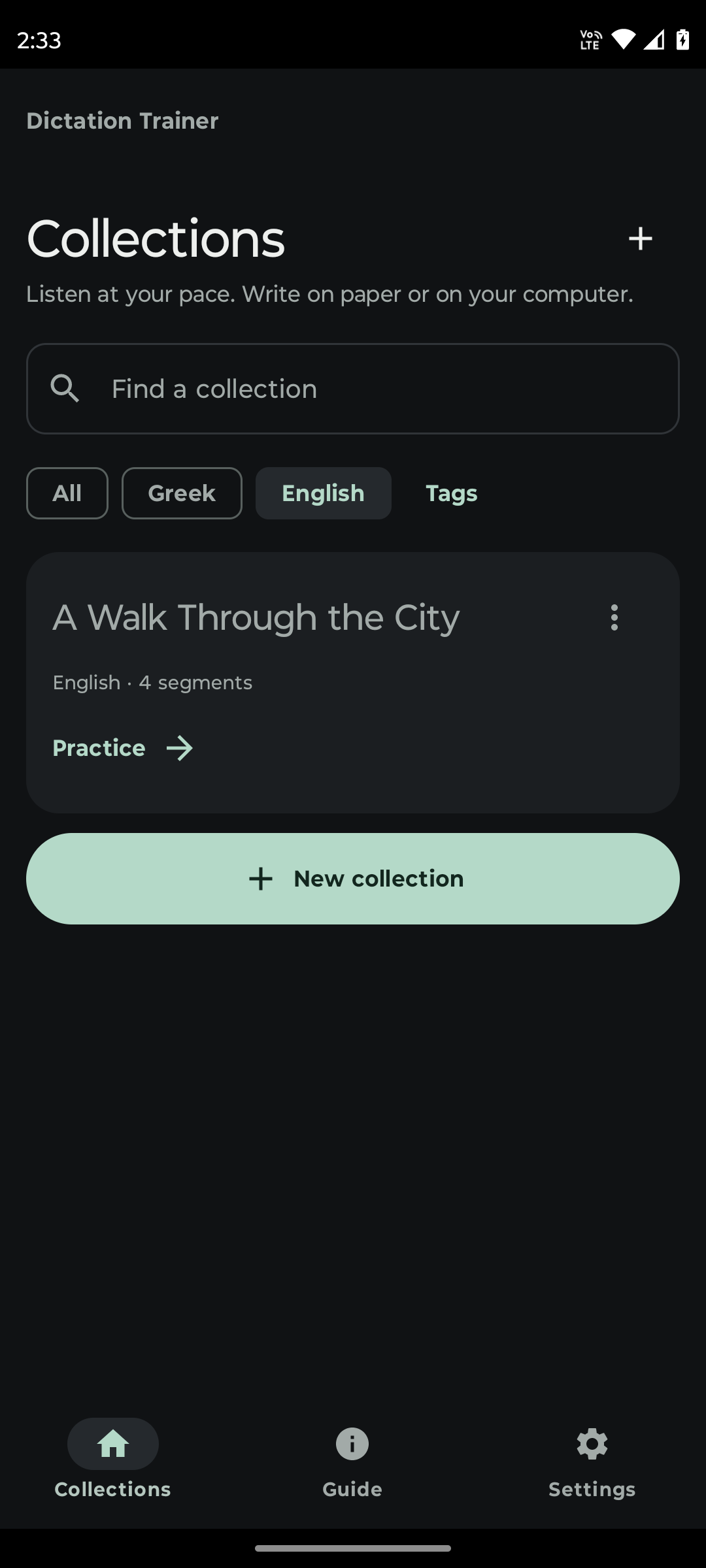
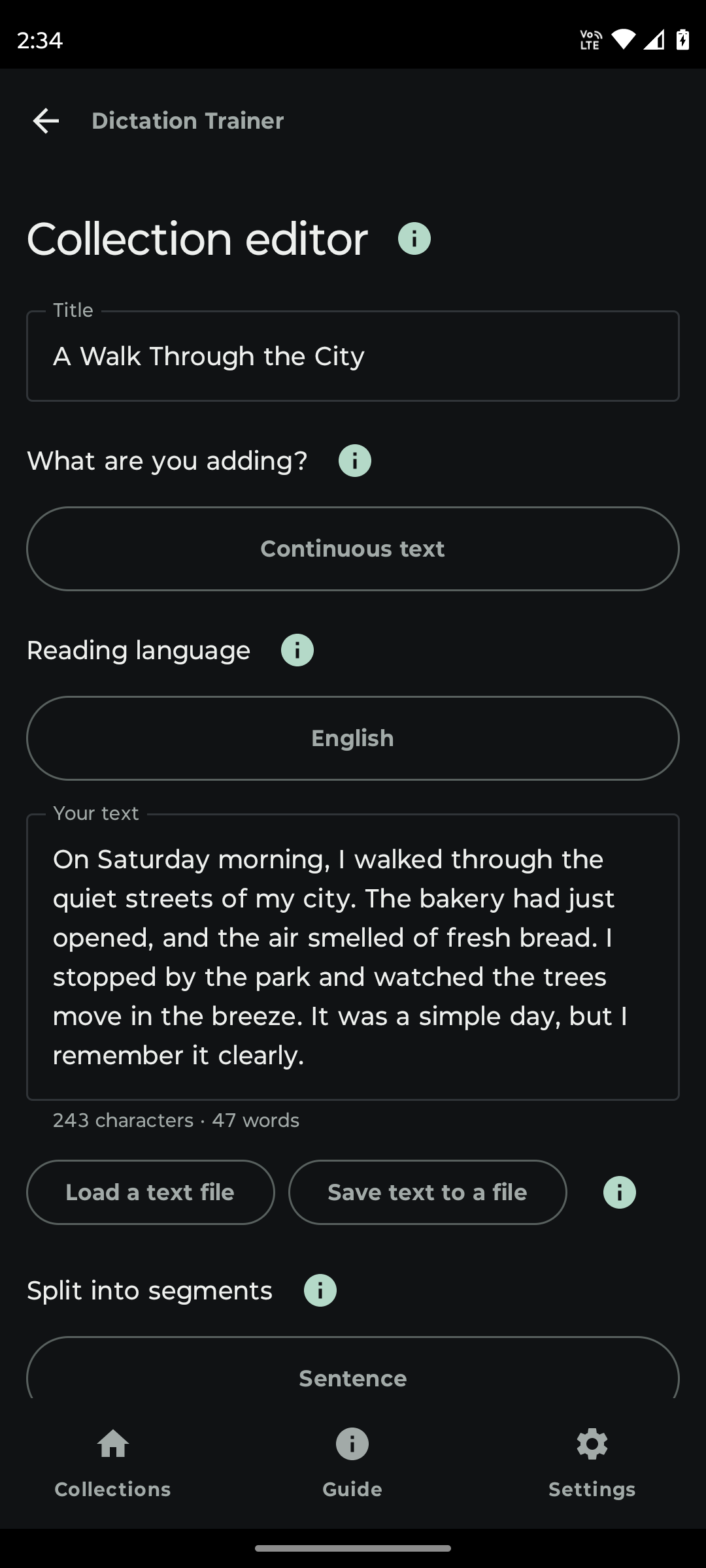
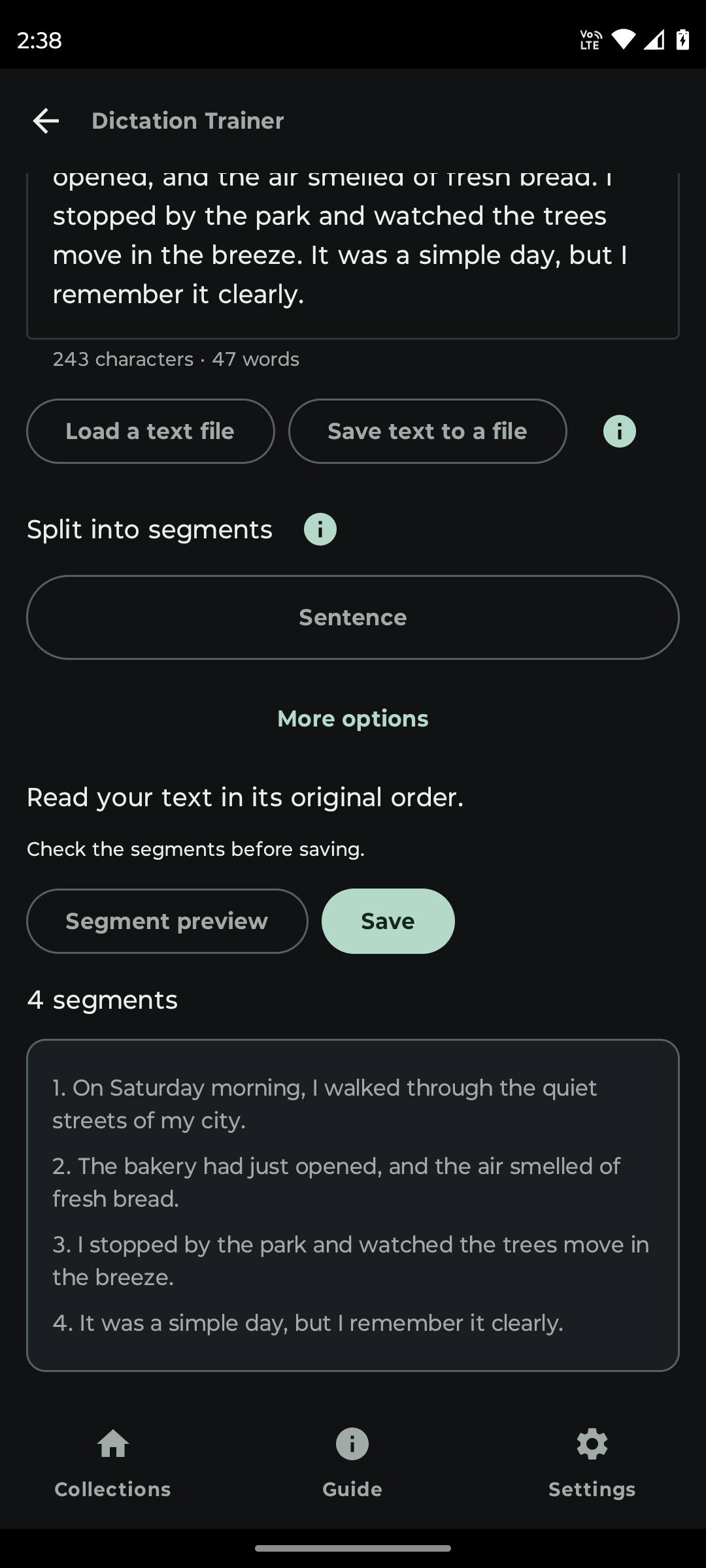
No account or sign-up is needed. Your collections stay on your device and are not sent to a server run by us.
Read-aloud uses an installed Android voice that does not require Internet while speaking. You may need to download new voices once in your phone settings. Buttons do not need microphone permission.
No. Write in a notebook, on your computer or wherever you prefer. Dictation Trainer dictates the text you have prepared.
No. It does not automatically check your writing. You can compare it with the original text or review it with someone else.
Yes. Add your own material or open a TXT file already on your device.
No. You can do all the practice with buttons. The microphone is optional and is used for voice commands or a microphone test.
Yes, if a voice that works without Internet is installed for your language. The app lists only those voices. For more, open Settings → Reading voices → Download voices in the app. Downloading a new voice may require Internet once.
Yes. A parent or teacher can prepare words for dictation. Reading uses installed voices that do not require Internet while speaking.
Android 8 and later. Google Play availability will be confirmed when publication is complete.
The current full version is being prepared for free release on Google Play. Once it is published, you will find the install link here.
Preparing for release.Have a question or an idea for the app?
Get in touch